
Serial Port & Commands
Programmatic serial command control for hardware automation
Serial Command SupportSerial command support is available with Premium or Enterprise Plan subscriptions.
TelemetryOS supports programmatic Serial commands through TelemetryOS Player on supported telemetry hardware. This functionality triggers hardware events via USB or RS232 connections, enabling direct control of TV displays, commercial monitors, and connected screens from TelemetryOS.
Capabilities
Display Control Automation: Powers displays on/off, adjusts volume, changes inputs, and controls additional display functions.
Remote Management: Scheduled commands execute at set intervals without manual intervention.
System Requirements
Serial command functionality requires:
-
Commercial display with RS-232/Serial support
-
RS232-to-USB cable or adapter (compatible with display model)
Serial Port Configuration
Serial port configuration establishes the connection between TelemetryOS devices and external displays through RS-232/Serial interfaces. This configuration defines which physical port (USB0, USB1, or other system-detected ports) handles serial communication, enabling hardware command transmission.
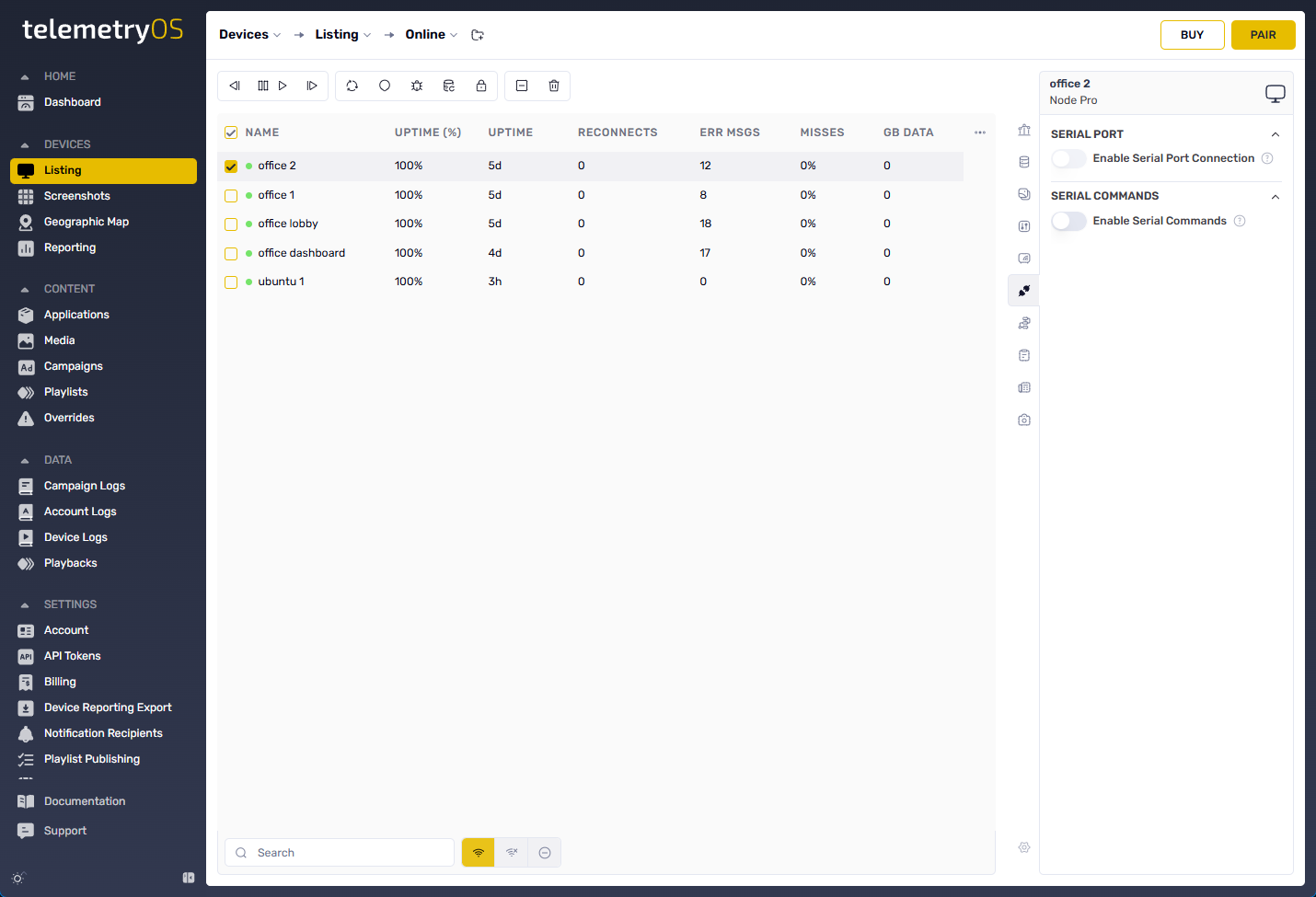
Serial port functionality requires physical cable connection between the device and display before port detection occurs. The system identifies available ports based on connected hardware, with port names reflecting the underlying USB interface (USB0, USB1) or other system-specific identifiers.
Proper cable connection is required before port selection.
Connection Configuration
Established Serial Port connections support the following configuration settings:
| Setting | Description |
|---|---|
| Connection Name | Unique identifier for the Serial connection. |
| Enable Serial Command | Activates Serial Command features for the device. |
| Commands | HEX commands for transmission (one per line). |
| Bitrate | Requested bitrate for Serial connection (display compatibility required). |
| Persistent | Maintains open Serial connection during app suspension. |
| CTS Flow Control | Enables RTS/CTS hardware flow control when supported. |
| Receive Timeout | Time (milliseconds) before timeout occurs when no data is received. |
| Send Timeout | Time (milliseconds) before send operation timeout. |
Display-specific Serial command formats vary by manufacturer. Manufacturer documentation provides format specifications.
Command Scheduling
Serial commands support automated scheduling through multiple options:
🔹 On Startup – Sends Serial command at TelemetryOS app initialization
🔹 Every Minute, Hourly, Daily – Recurring execution at defined intervals
🔹 At a Specific Time – Scheduled execution at exact time in 24-hour format
Serial commands require HEX format transmission.
Display Control Protocol Documentation
Official RS232 control documentation from major display brands provides command execution specifications:
Serial Command Logging
Log Serial Commands functionality supports debugging and monitoring by tracking:
✅ Data sent to the display
✅ Responses received from the display
📌 This feature supports troubleshooting communication issues.
Configuration Requirements
Display model RS-232 command support is required before configuration.
Compatible RS232-to-USB adapter required when applicable.
Updated 7 months ago