
Pairing with Code
Alphanumeric code entry for device enrollment
Pairing with Code
Provisioning AlternativeProvisioning provides automated device-to-account binding for deployments of 10 or more devices. Provisioning tokens enable consistent configuration across fleets without manual code entry.
Code-based pairing connects devices to TelemetryOS through alphanumeric code entry. The pairing code displayed on-screen is entered in TelemetryOS Studio to complete enrollment.
Pairing Code Display
When a Node Pro or Node Mini device connects to the network and completes initial setup, the pairing screen appears automatically. This screen displays a unique alphanumeric pairing code specific to that device.
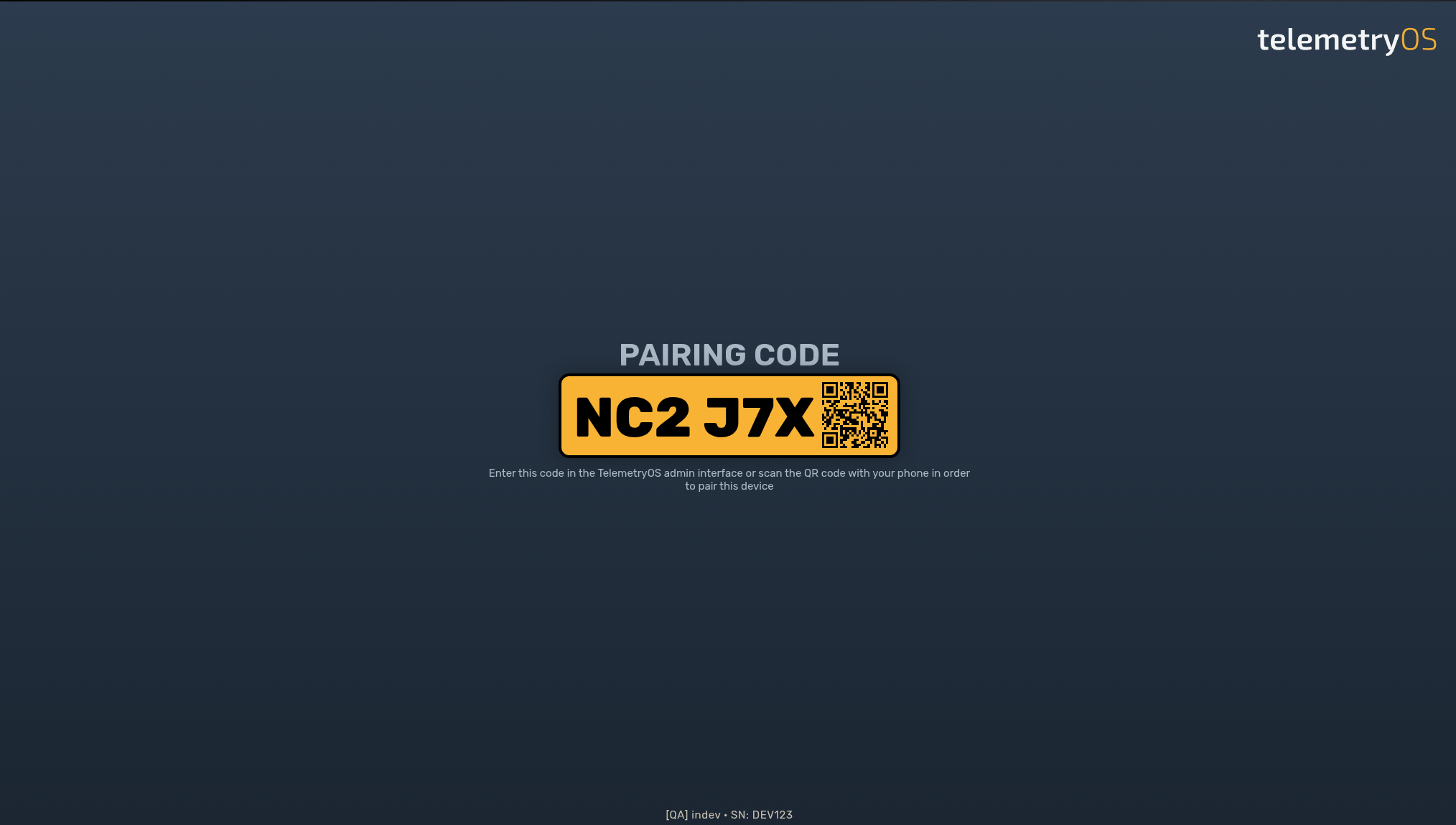
The pairing code:
- Remains displayed until pairing completes or the device reboots
- Is unique to each device instance
- Changes if the device is factory reset
Pairing Interface
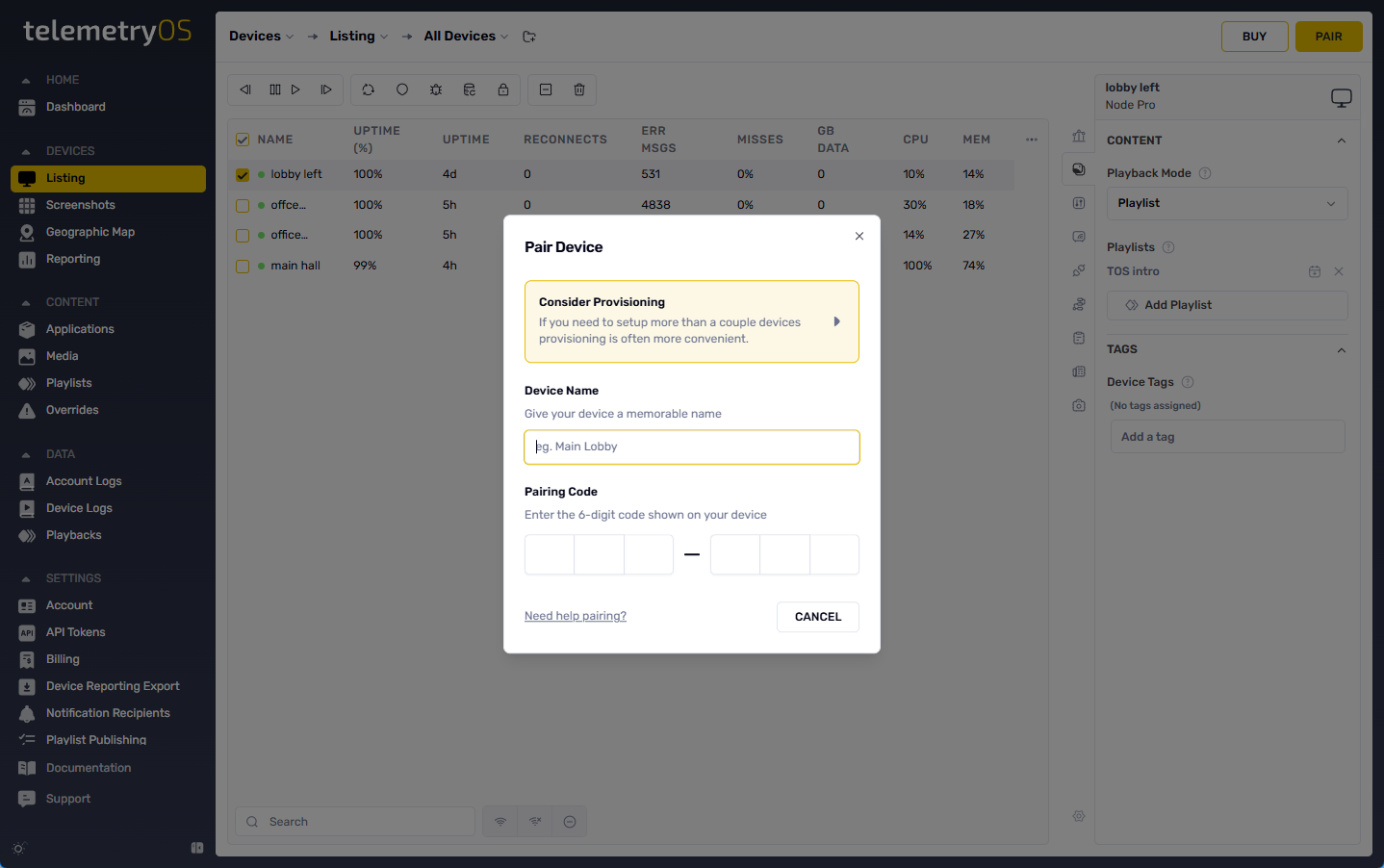
The pairing interface in TelemetryOS Studio is located under Devices > Pair. The interface collects the following information:
| Field | Description | Required |
|---|---|---|
| Device Name | Display name for identification in fleet management | Yes |
| Location | Physical location or logical grouping identifier | No |
| Pairing Code | Alphanumeric code displayed on the device screen | Yes |
Pairing Completion
Upon successful pairing:
- The device screen transitions from the pairing code to content playback
- The device appears in the TelemetryOS Studio device list
- The account's default playlist begins displaying automatically
- Device health reporting and remote management become active
Unpairing Behavior
Devices may become unpaired in rare circumstances, such as account changes or extended offline periods. Unpaired devices return to the pairing screen and require re-enrollment. For deployments requiring persistent device-to-account binding, provisioning provides token-based authentication.
Updated 7 months ago