
Building Applications
Develop custom applications for TelemetryOS using the SDK and API documentation
Building Applications for TelemetryOS
TelemetryOS applications are standard web apps — React, TypeScript, HTML, and CSS — that run on managed screens and displays. The TelemetryOS SDK gives them access to device hardware, persistent storage, media libraries, and fleet-wide deployment through familiar JavaScript APIs. If you can build a web app, you can build a TelemetryOS application.
The Story in Three Moves
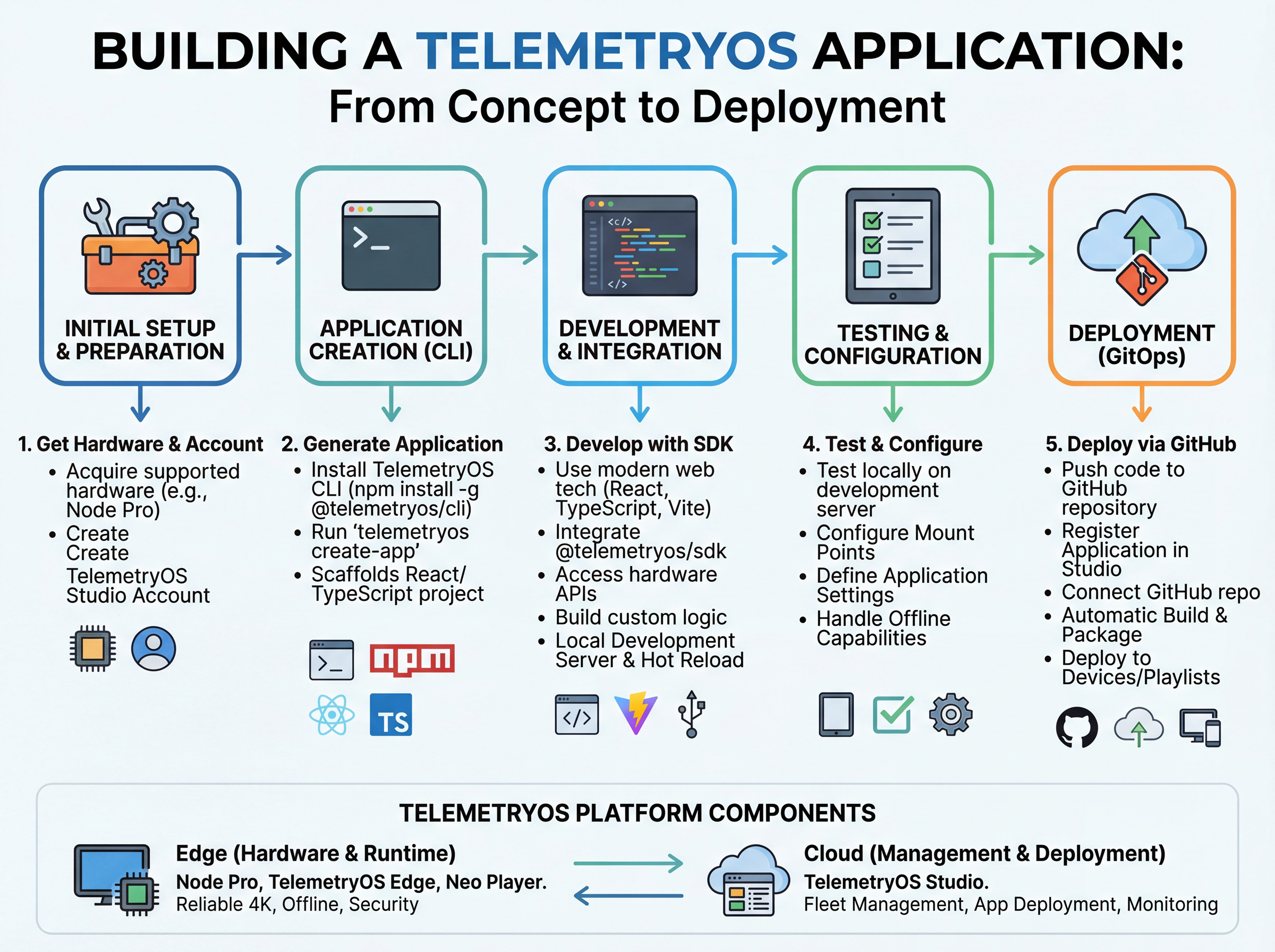
1. Build in the Developer App. The TelemetryOS Developer App is the hub. It scaffolds a project, runs a live preview across every aspect ratio, simulates device hardware and storage, and publishes to Studio. Every workflow in this section flows through it.
2. Choose how you write the code. There are two first-class workflows:
- Manual Development — you write the code. Traditional editor, hot module replacement, your rhythm.
- AI Agent Development — you describe the app to Claude Code or Codex. The agent writes code, takes screenshots through the Developer App's MCP server, seeds storage to test, reads logs, and iterates visually while you watch the canvas.
Both paths target the same SDK, the same templates, and the same publish pipeline. Pick one based on how you like to work. Many teams combine both — describe the shape with an agent, then hand-tune the details yourself.
3. Publish to devices. Push to GitHub and connect the repo in Studio, or upload a .tar.gz archive from the Developer App. Either way, the platform builds in the cloud and distributes to every assigned screen — with versioning and one-click rollback.
Start Here
Choose Your Workflow
Shared Reference
Updated about 1 month ago